
Data Report
Review charts, statistics and insights by area of the game in one report. Use the details to discuss the round with the player.
Golf performance analytics for college programs and national teams. Set clear practice priorities and track each player’s progress.
Golf performance analytics for college programs and national teams. Set clear practice priorities and track each player’s progress.
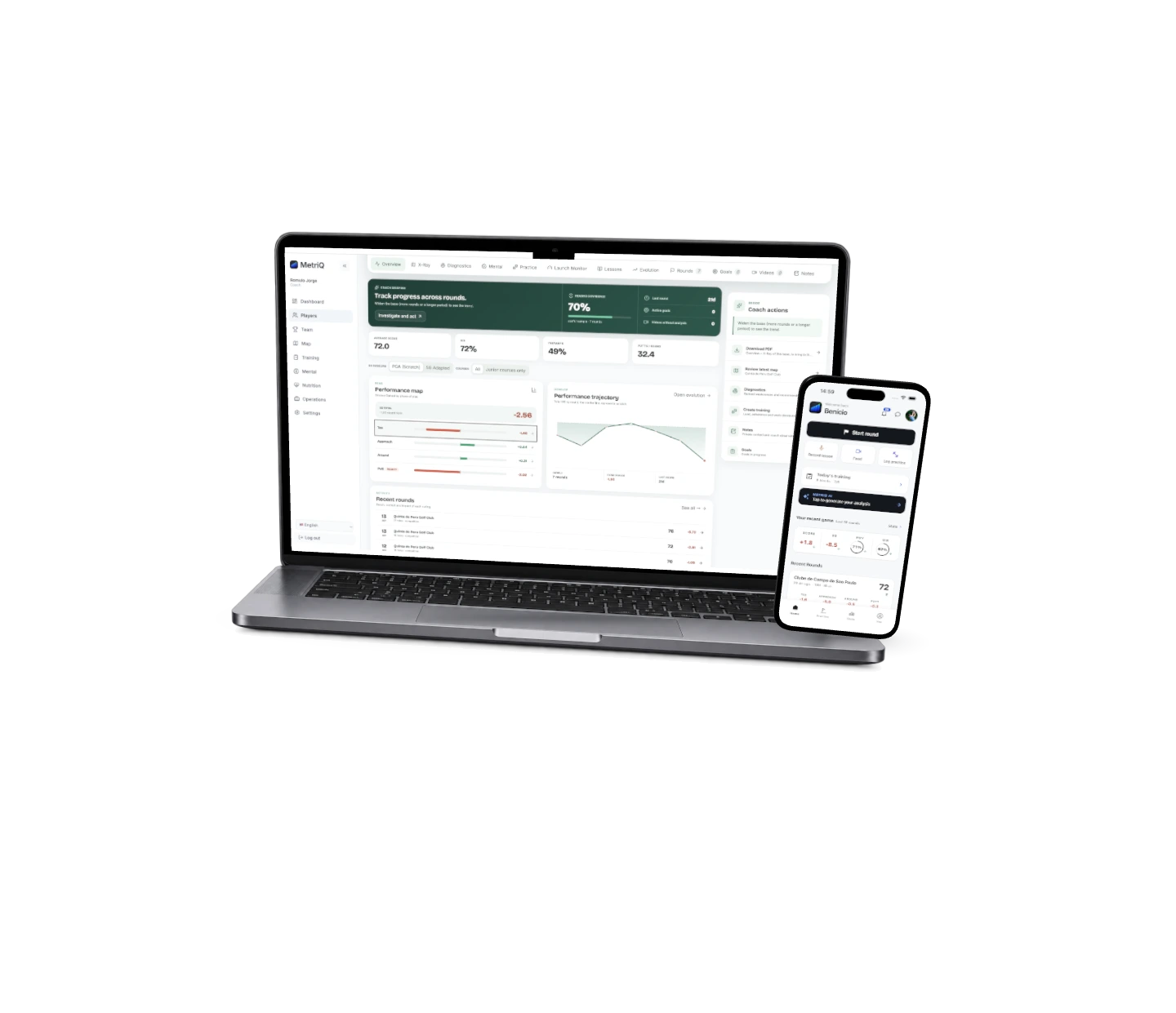

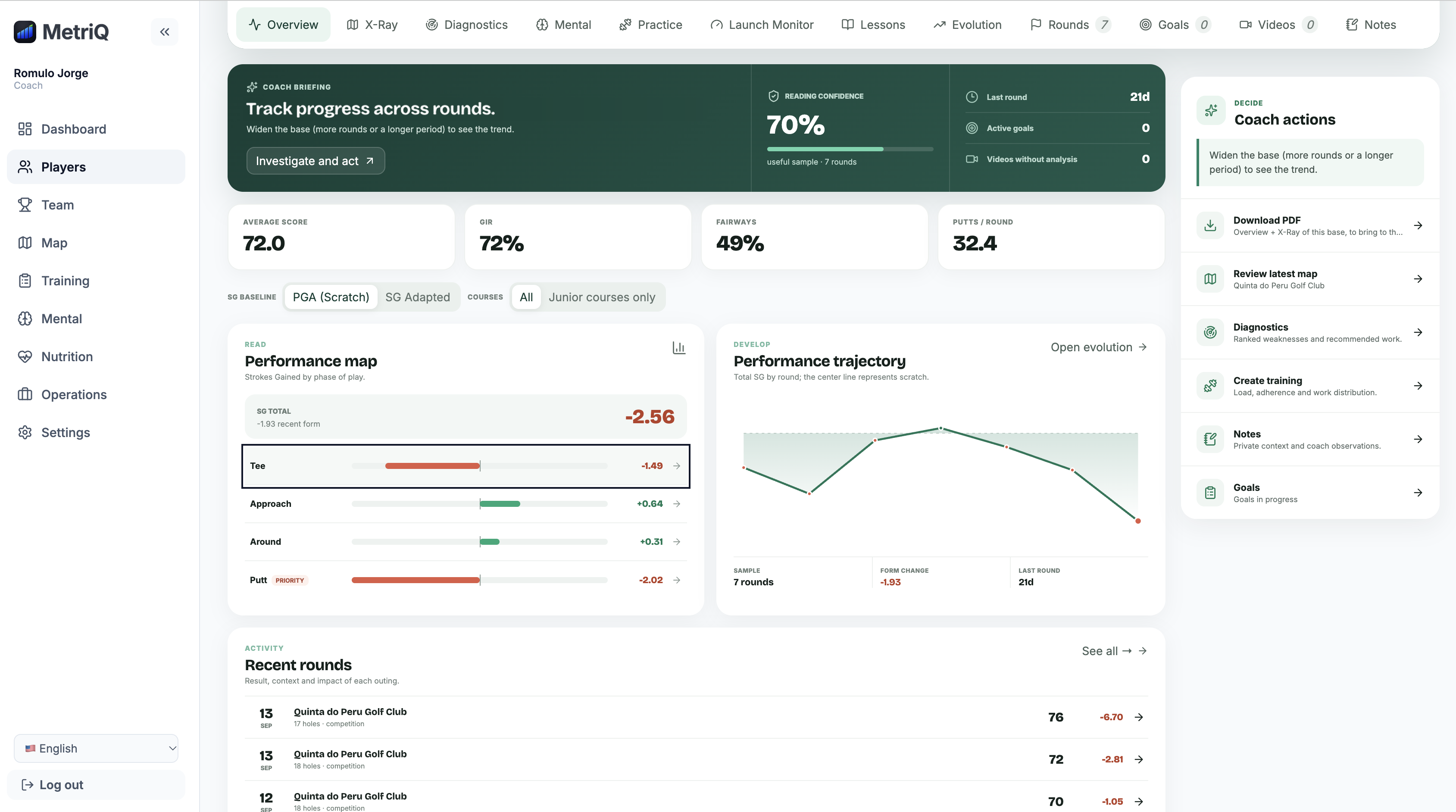
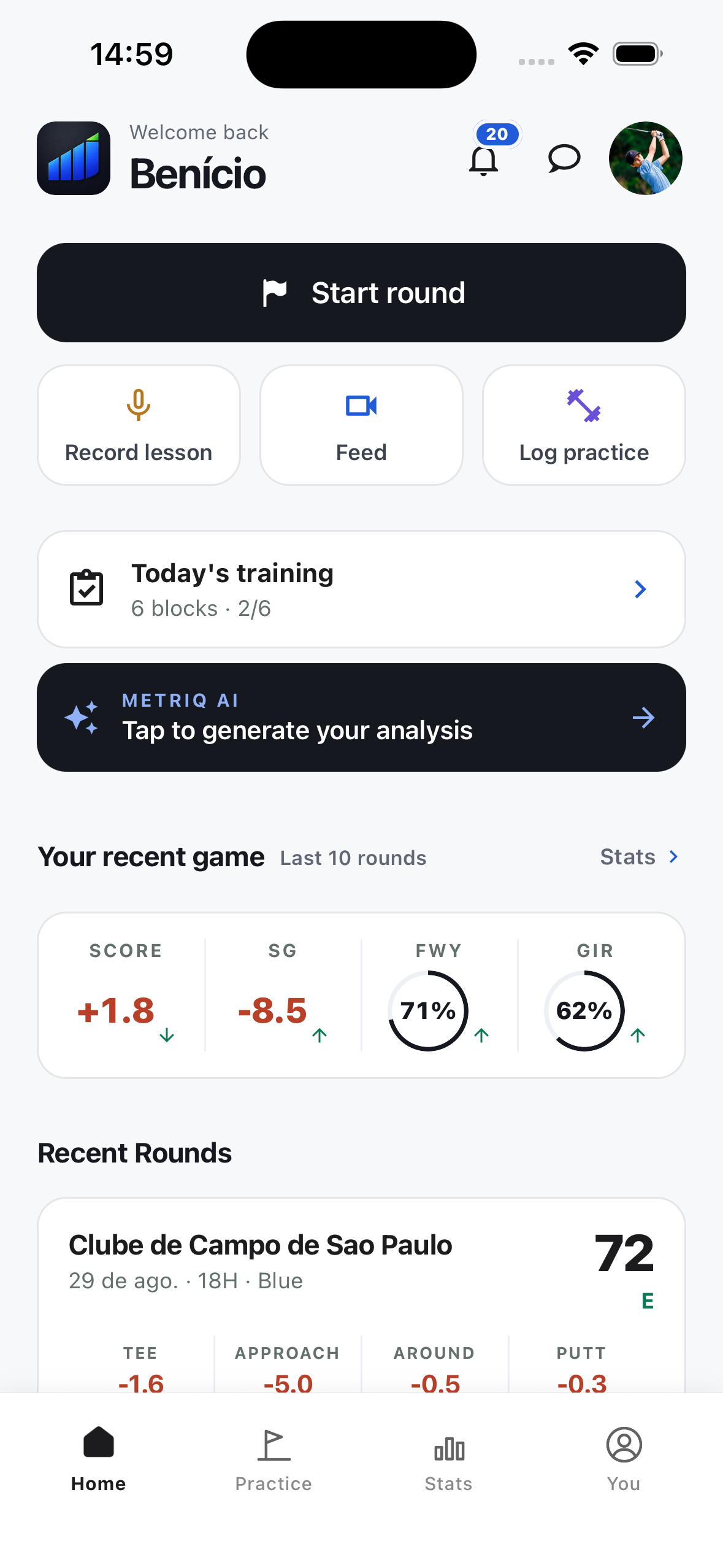
Review player activity, Strokes Gained and team priorities.
Actual MetriQ screens.
Get the MetriQ app




See what each player needs. Find the priorities your team shares. Plan the work and follow it in the Coach Portal and player app.
Request a Coach Portal demoReview Strokes Gained, recent rounds and competition history. See where a player is losing strokes and whether the same pattern keeps returning.
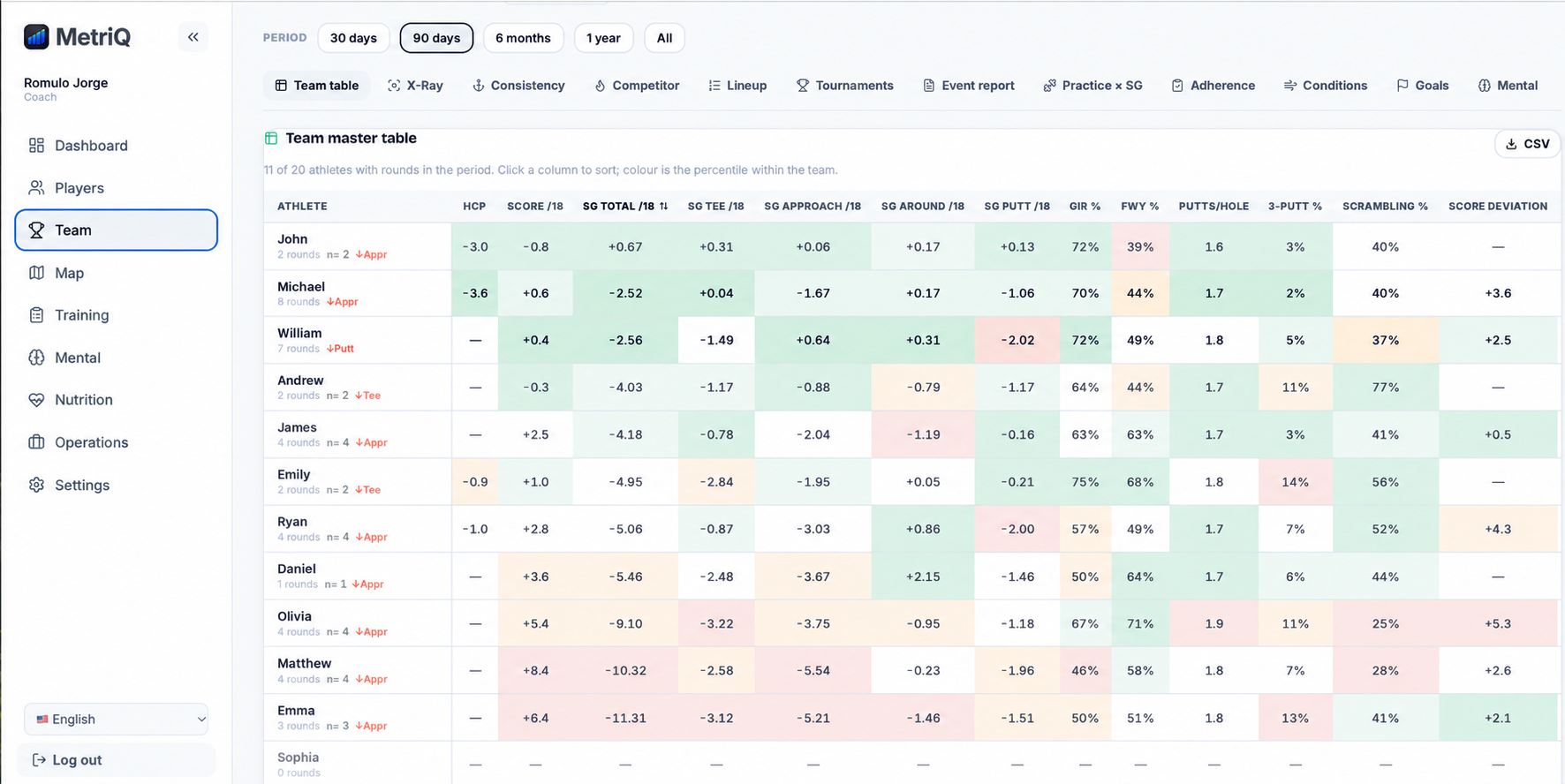
Coach Portal screen with illustrative player names.
Bring your practice data.




 SAM PuttLab
Go deeper into Strokes Gained by area, club, distance and lie. Use the detail to understand a player’s results.
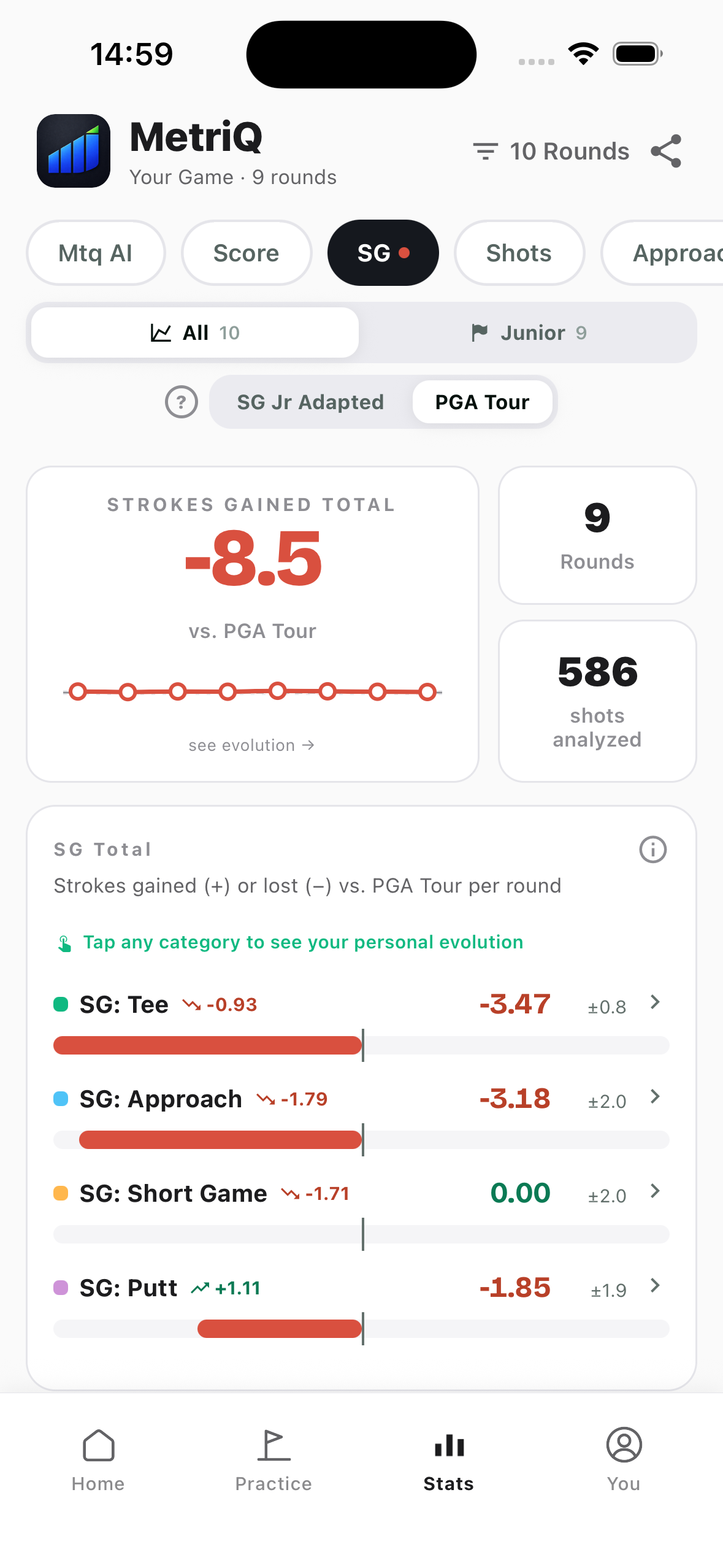
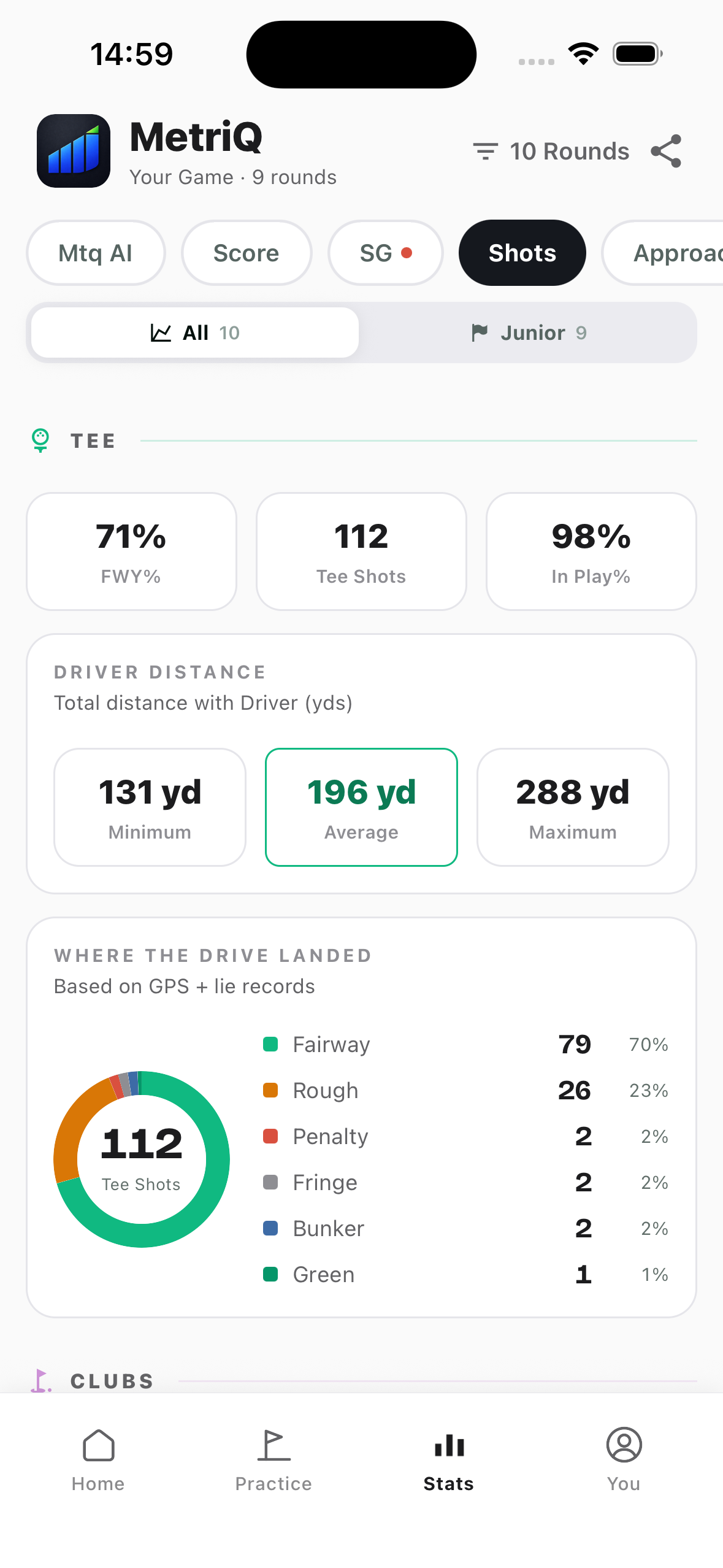
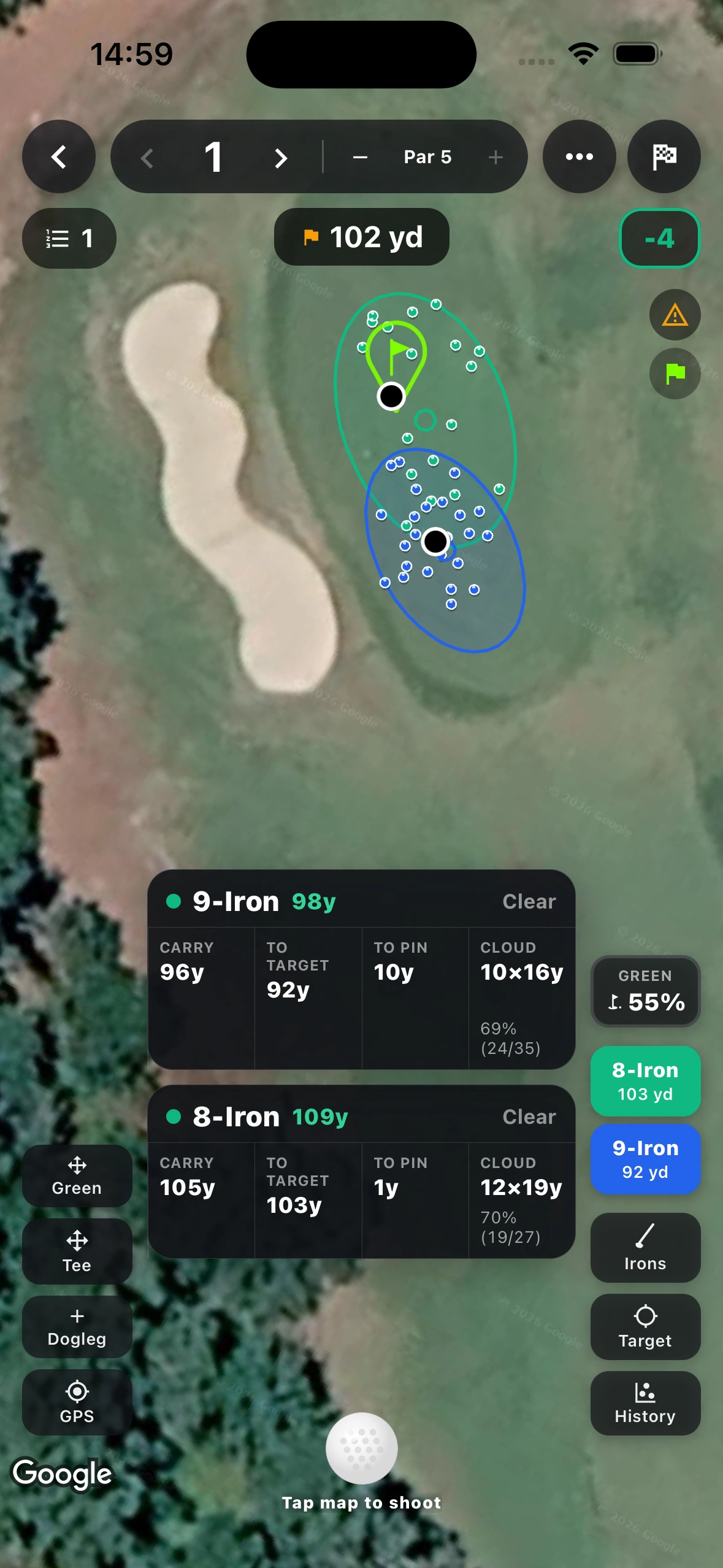
For shot maps and dispersion, mark each shot’s position, club, lie and intended target on the map. The quicker form gives you Strokes Gained and shot statistics, without dispersion maps.
Compare the last five rounds with the previous five, follow monthly and quarterly trends, and review practice rounds separately from competition.
Fairways hit, shot outcomes, distances by club and Strokes Gained. See where tee shots finish and how they affect the round.
Strokes Gained by distance band, GIR, distance left to the pin and dispersion by club and lie.
Compare proximity and first-putt conversion by distance and lie. Review up-and-down and sand-save rates to find where the short game needs work.
Strokes Gained, make rates by distance, break analysis and distance control from putt outcomes. See which distances and putt types are costing strokes.
Compare key statistics with six professional and collegiate golf benchmarks.
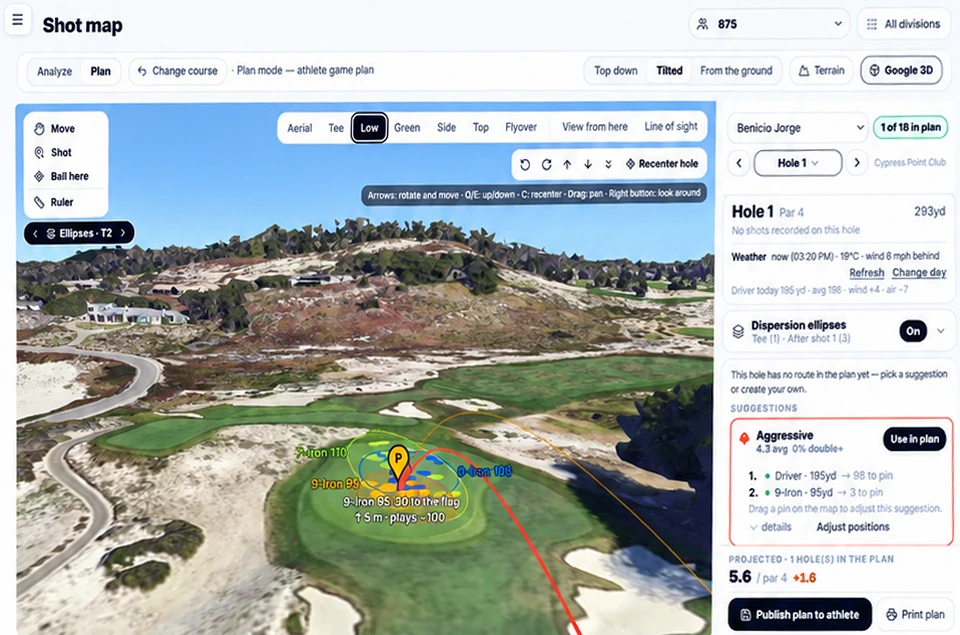
Aiming at the flag is not always the plan. MetriQ measures dispersion around the player’s chosen target, so you can see each club’s shot pattern and plan around it.
Explore the tools that connect analysis with the player’s daily routine.
MetriQ AI organizes round data into reports and suggests practice priorities. Review its analysis with the player, alongside your own coaching observations.
Review charts, statistics and insights by area of the game in one report. Use the details to discuss the round with the player.
Explore links between areas of the game, possible causes of lost strokes and suggested areas for practice.
Coming next: connect the intended target and shot plan with execution and the final result. Understand how the shot happened, as well as where it finished.
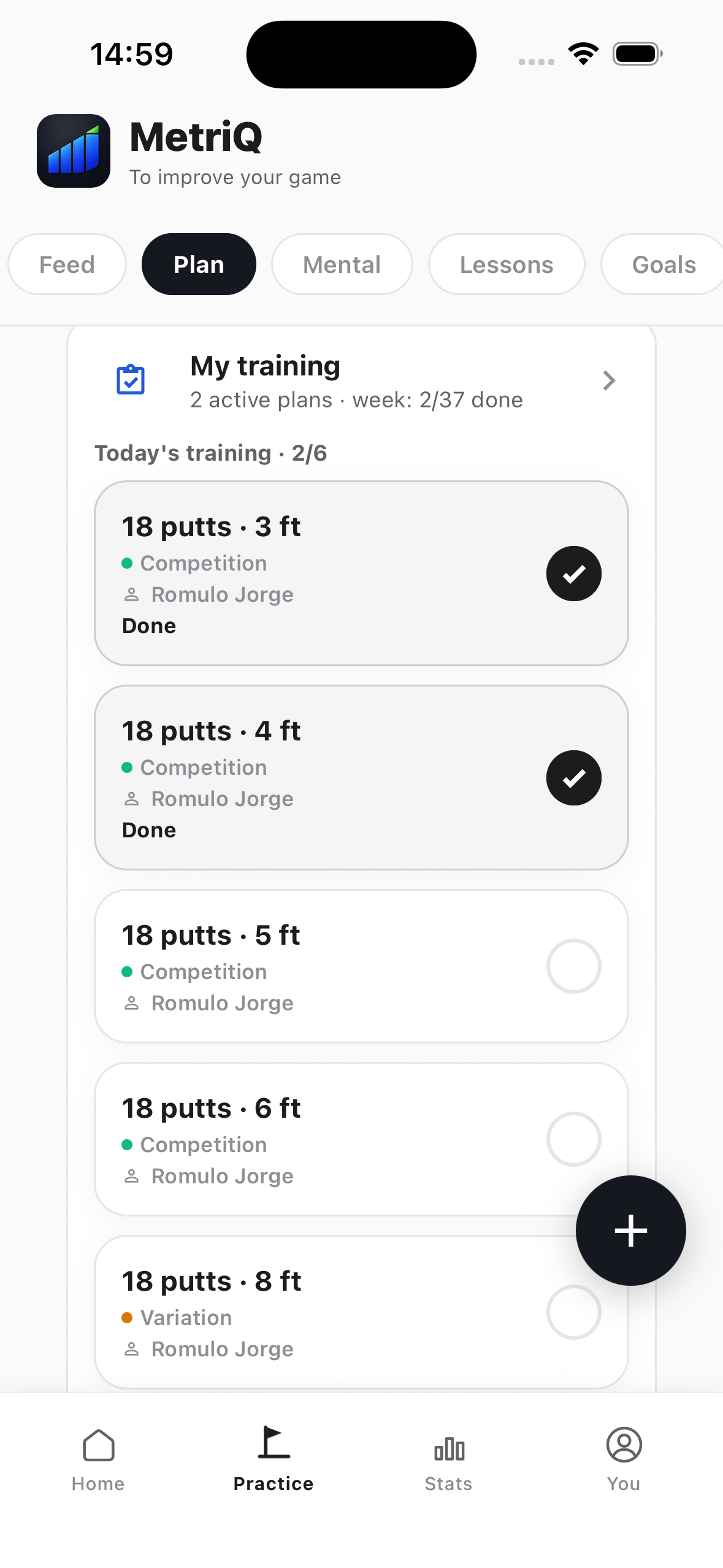
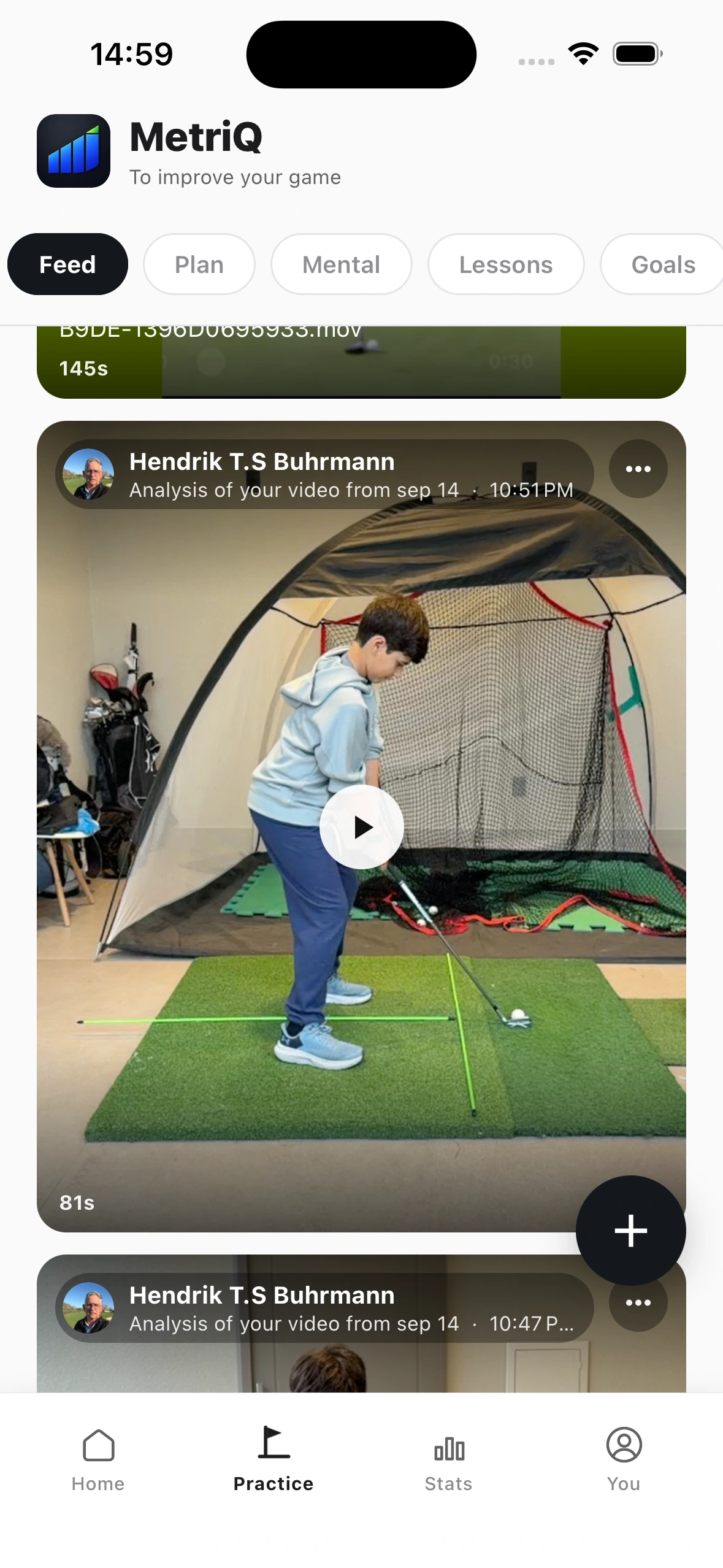
Keep the weekly plan and the lesson’s guidance in one place. Players record their practice and revisit the coach’s corrections and drills before the next session.
Set the weekly plan in the Coach Portal. Players receive their sessions in the app and log practice time and ball volume. Review what they completed before planning the next week.
Start the lesson in the app. MetriQ AI listens and organizes the coach’s corrections, a summary and drills. The player can review what to work on before the next practice session.
Access videos shared by your coach in the feed, including annotated technical reviews. Revisit the guidance between lessons and take the corrections into practice.
Scores do not tell you how the player experienced the round. Mental questionnaires, preparation exercises and psychological and nutrition follow-up help you understand more of their routine.
Talk about athlete follow-up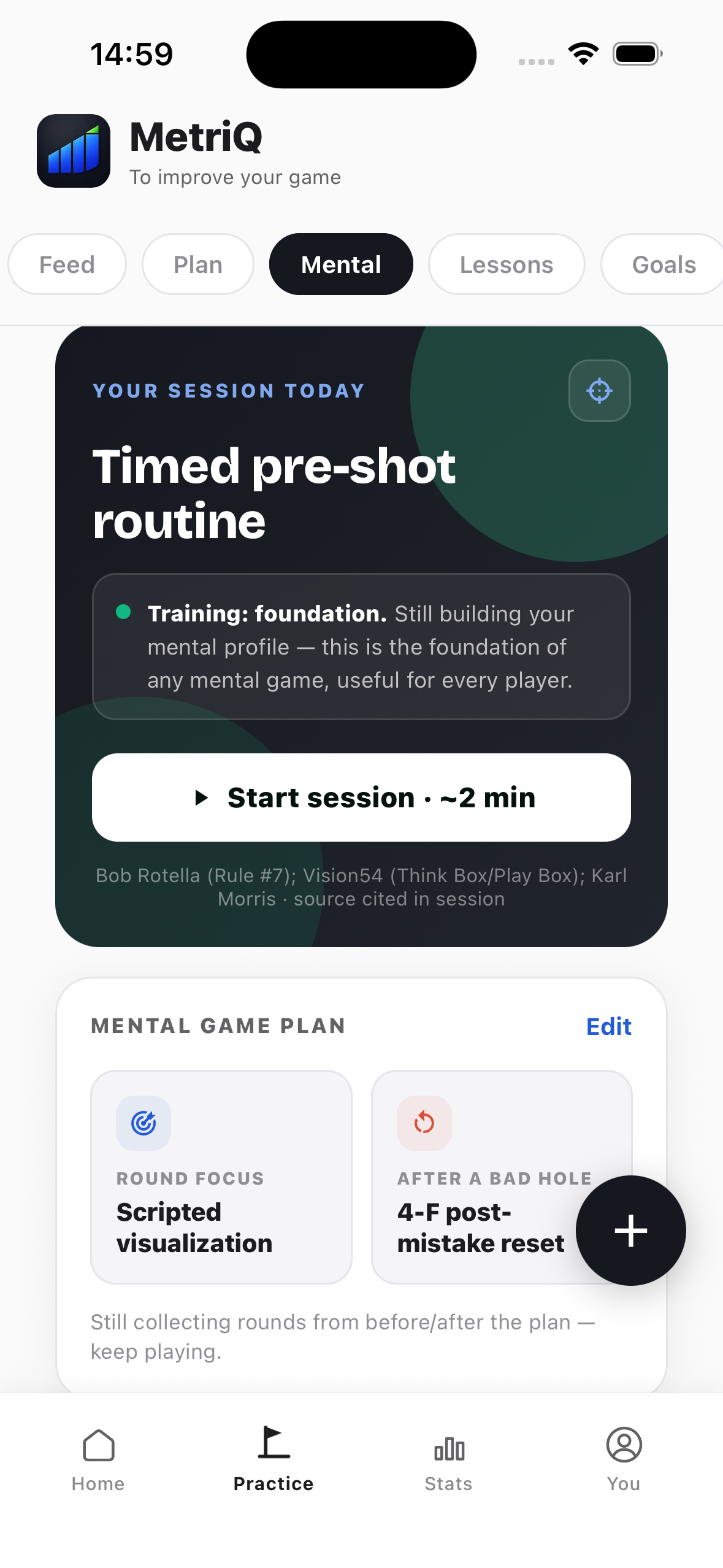
Post-round and monthly questionnaires give the player a way to describe their experience. Follow their responses over time and use them in conversations about preparation and competition.
Bring psychological follow-up into the platform alongside the player’s training and competition history.
Keep nutrition follow-up in the app, alongside the player’s practice and preparation.
Use pre-round mental exercises and review how the player responds after difficult holes. Compare competition and practice to discuss where preparation may need attention.
Your rounds, your practice and your coach’s guidance, ready when you need them.
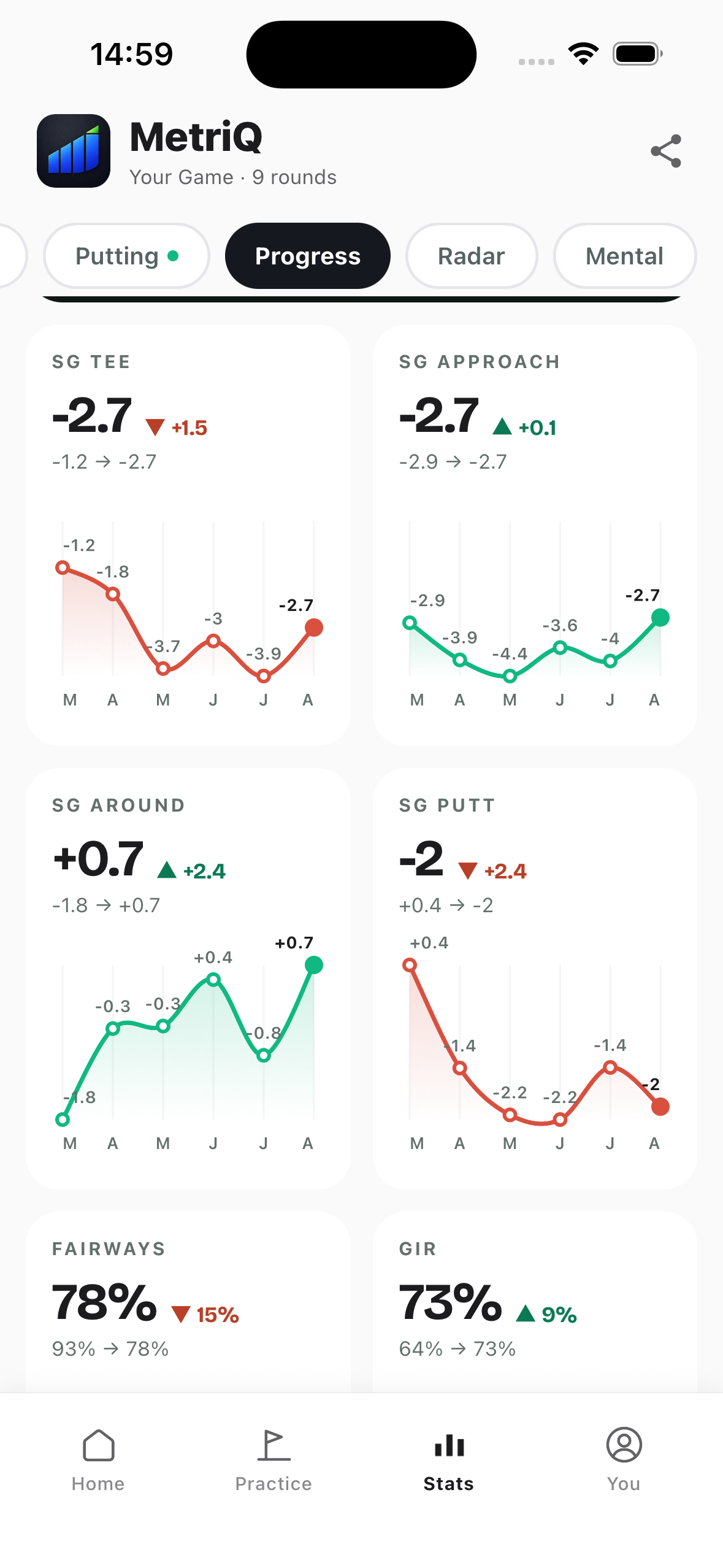
Review Strokes Gained from tee shots to putting and use AI reports to explore the details. Compare your recent rounds to see what is improving and what still needs work.
Schools, college teams, national teams, academies and golf teams have different coaching needs. Explore how MetriQ supports yours.
Review who is improving, where strokes are being lost and what practice was completed. Use individual priorities and shared team weaknesses to plan the next week.
Talk about your golf programRound entry, imports and the scope of the analysis. Know what to expect before you start.
Get in touchRecord each shot manually on the map, including position, club, lie and intended target. This adds shot maps and dispersion analysis. The quicker form provides Strokes Gained and shot statistics, without dispersion maps.
You can import files from supported launch monitors and SAM PuttLab. Contact us to confirm the available formats for your equipment.
The intention, execution and result analysis is coming soon in the app. It will connect the target and shot plan with execution quality and the final result.
Junior Strokes Gained is an adapted estimate, not an official index. Junior-course and adult-course rounds are tracked separately.
Tell us who you coach and what you want to understand or improve. We’ll discuss how MetriQ’s analysis, practice tools and Coach Portal fit your program.
Request a demoYour data, your practice and your coach’s guidance. In the app.